React Hooks 实现状态管理
- 主要api:useContext和useReducer
- 用途:都是为了进行状态管理。
- 一般useContext更常用。
- 如果使用useReducer不如使用redux或者其他管理库提供的更高级的hook api。
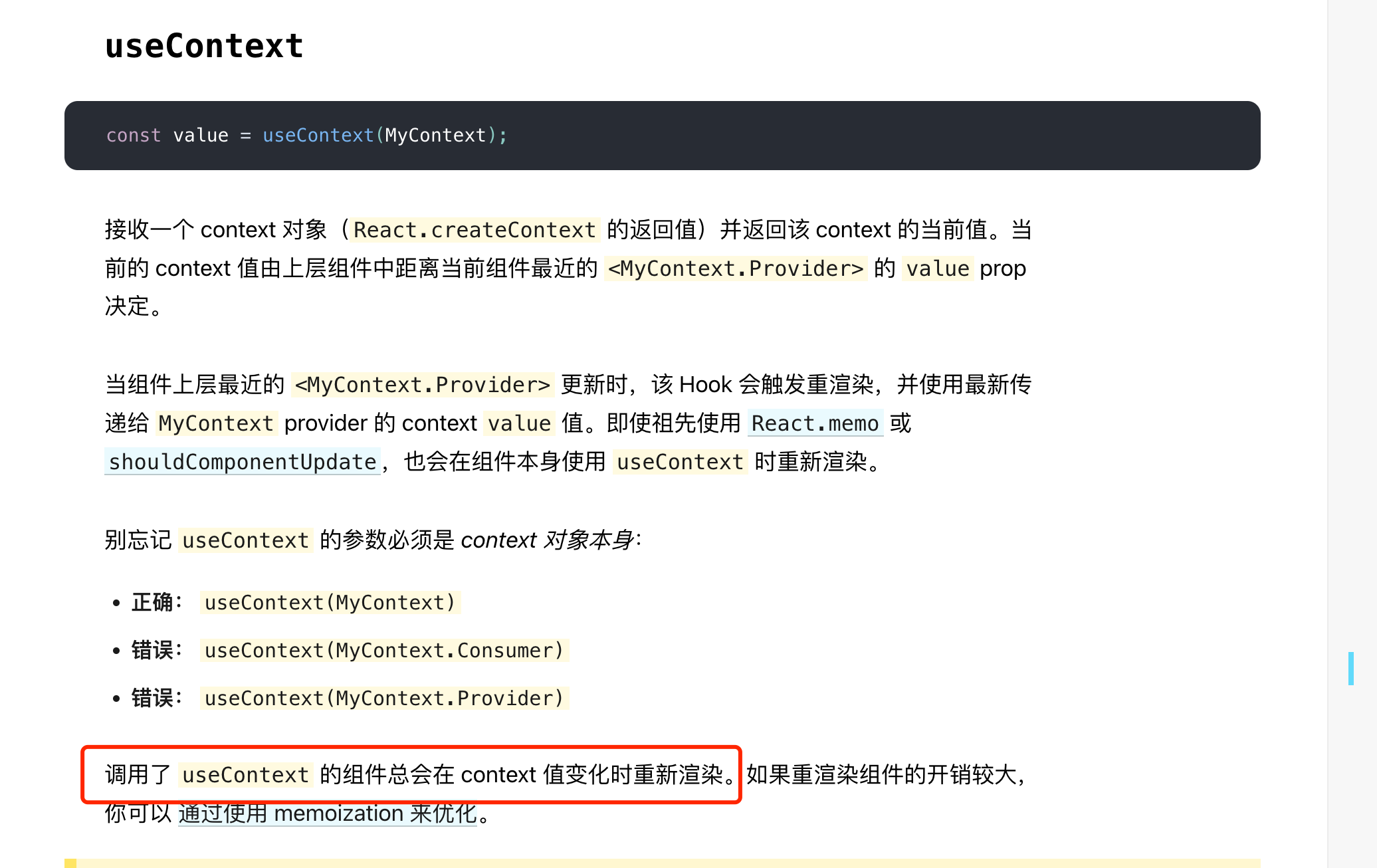
坑点:根据官方文档 Hook API 索引 – React ,也就是用到context的组件,都会由于context的变化导致re-render(就离谱。。)
- useContext的正确使用姿势:排除掉网上各类说法,直接看 github 上作者的建议即可 :
- 【推荐】拆分context,保证context的变动不会影响过多组件
- 使用 范式memo(React.memo && useMemo)
- 拆分context做法示例。
以全局Log组件为例,实现「读写分离」:
- Before:
定义方代码👇
1
2
3
4
5
6
7
8
9
10
11
const LogContext = React.createContext();

function LogProvider({children }) {
  const [logs, setLogs] = useState([]);
  const addLog = (log) => setLogs((prevLogs) => [...prevLogs,log]);
  return (
    <LogContext.Providervalue=>
      {children}
    </LogContext.Provider>
  );
}
使用方代码:必须使用 LogContext 上下文。
- After:
定义方代码👇
1
2
3
4
5
6
7
8
9
10
11
12
13
14
15
16
const LogStateContext = React.createContext();
const LogDispatcherContext = React.createContext();

function LogProvider({children }) {
  const [logs, setLogs] = useState([]);
  const addLog = useCallback(log => {
    setLogs(prevLogs => [...prevLogs,log]);
  }, []);
  return (
    <LogDispatcherContext.Providervalue={addLog}>
      <LogStateContext.Providervalue={logs}>
        {children}
      </LogStateContext.Provider>
    </LogDispatcherContext.Provider>
  );
}
使用方代码:根据读、写的需要,只使用 LogStateContext、LogDispatcherContext 即可。 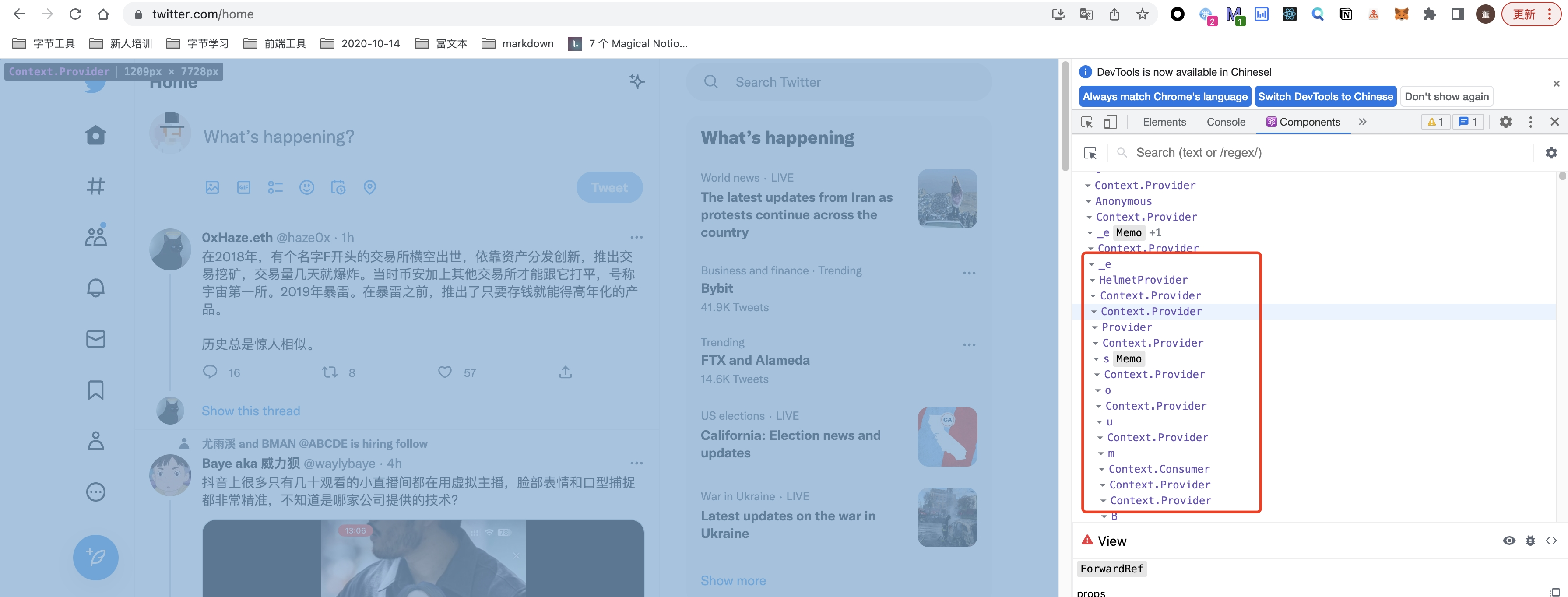
- 范式memo的做法示例:
- 核心思路:
- 给子组件包一层类似Wrapper的东西,在这个Wrapper内,从context上读取属性,并且将其作为prop传递给子组件。
- 子组件使用React.memo或者 useMemo包裹
- 效果:context的更新,只会造成Wrapper的re-render。由于它只是一层包装,性能损耗几乎为0。
React.memo 实现(如果你是上层业务开发者,想引用底层组件,并且将context作为prop传递过去):
1
2
3
4
5
6
7
8
9
10
  function Button() {
    const appContextValue = useContext(AppContext);
    const { theme } = appContextValue;// Your "selector"
      return <ThemedButton theme={theme} />;
  }

  const ThemedButton = React.memo(({ theme }) =>
      // The rest of your rendering logic
      <ExpensiveTreeclassName={theme} />
  );
useMemo实现(如果你是底层/通用组件开发者,不想让外层使用者每次使用时都用React.memo包裹一次那么麻烦):
1
2
3
4
5
6
7
8
9
  function Button() {
    const appContextValue = useContext(AppContext);
    const { theme } = appContextValue;
      // Your "selector"
    return useMemo(() =>
          // The rest of your rendering logic
          <ExpensiveTreeclassName={theme} />
    , [theme]);
  }
- 核心思路:
本文由作者按照 CC BY 4.0 进行授权